In-App Purchases in a Lovable App: Stripe or Apple?
If your Lovable app sells a subscription or unlocks features, the web version can keep using Stripe, but the iPhone app usually can’t. Apple’s guideline 3.1.1 says that to “unlock features or functionality within your app”, like subscriptions or premium content, “you must use in-app purchase”. The one big exception since 2025 is the United States storefront, where apps may link out to their own checkout. Everything below was checked against Apple’s App Review Guidelines on October 23, 2026.
This catches Lovable founders more than most, because the web app already works. Stripe Checkout opens, the webhook flips is_pro in Supabase, done. Then the same flow ships inside a Capacitor app, and the review comes back citing 3.1.1.
What actually counts
Apple cares about what is being sold, not how.
Digital things used inside the app need in-app purchase: subscriptions, credits, premium features, content. A Lovable SaaS with a Pro plan is squarely in this group.
Physical goods and real-world services don’t: a shop selling t-shirts, a booking app for haircuts, a marketplace taking a cut of a delivery. Keep Stripe for those, inside the app too.
Things bought elsewhere can be used in the app. Under 3.1.3(b), someone who subscribed on your website can sign in on the iPhone and get Pro, as long as the subscription is also available as an in-app purchase in the app. That last condition is the one people skip.
And the US exception: on the US storefront, guideline 3.1.1(a) now says entitlements “are not required” for buttons and external links to other ways to pay. So a US-only app can show “Upgrade on our website” and send people to Stripe. In every other storefront that button is still a rejection unless you hold Apple’s External Purchase Link entitlement where it’s offered. Most Lovable apps sell worldwide, so most of them need in-app purchase anyway.
What each option costs
On a $9.99 a month subscription:
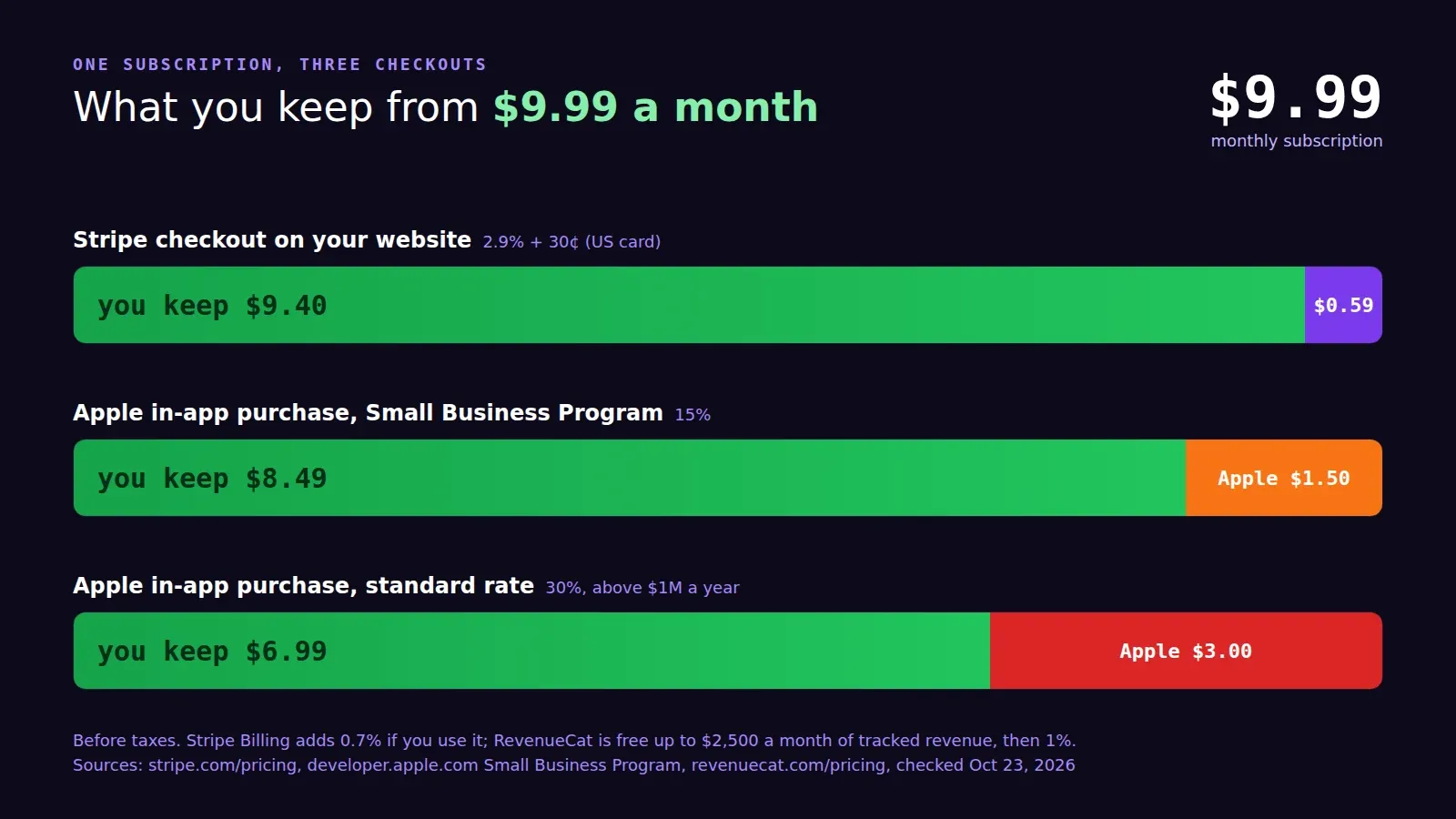
- Stripe on your website: 2.9% + 30¢ per US card payment (Stripe pricing), so $0.59, and you keep $9.40. Stripe Billing adds 0.7% if you use it for the subscription logic.
- Apple in-app purchase: 15% if you’re in the App Store Small Business Program (under $1 million in proceeds the year before, and new developers qualify), so you keep $8.49. Above $1 million it’s the standard 30%. You have to apply for the 15%; it isn’t automatic.
- Google Play has its own billing rules and service fee; check Google’s payments policy for your countries before assuming Stripe is fine on Android.
The 15% hurts a bit less once you remember what it buys: on a phone the purchase sheet is Face ID and done, with no card form to type into. I’d still keep the web checkout for people who find you on the web. Same price everywhere is the simplest policy; some apps charge more in the app to cover the fee, which Apple allows.
Where RevenueCat fits
The hard part of in-app purchase isn’t the purchase sheet. It’s knowing, in your Supabase database, who is subscribed right now, across Apple, Google and Stripe, with renewals, refunds and grace periods. You can build that yourself with App Store Server Notifications and Google’s real-time developer notifications. Or you use RevenueCat, which does exactly that and has a Capacitor SDK (@revenuecat/purchases-capacitor).
Its pricing, checked today: free up to $2,500 of monthly tracked revenue, then 1% of what it tracks. For a Lovable app that’s starting out, that’s free for a long time, and by the time you pay $25 a month for it you’re making $2,500. I’d use it. The thing I don’t like is that “is this user Pro?” now lives in a third place, so we always mirror the entitlement into a Supabase column with a webhook, and the app’s RLS policies read that column, not an SDK call.
How it plays out in a real project
The order we use: set up the products in App Store Connect and Google Play Console first (they need tax and banking info, and Apple reviews each new subscription with the app), add the SDK to the Capacitor project, keep the existing Stripe flow on the web, and hide the Stripe button inside the iOS app outside the US. The paywall screen in the app needs the price, the period and links to your terms and privacy policy, or review sends it back.
If a 3.1.1 rejection is what brought you here, our App Store rejection fix is $350 flat and resubmitted within 3 days. If the app isn’t in the stores yet, payments are part of publishing your Lovable app to both stores.