App Store Screenshot Size for Your Lovable App (2026)
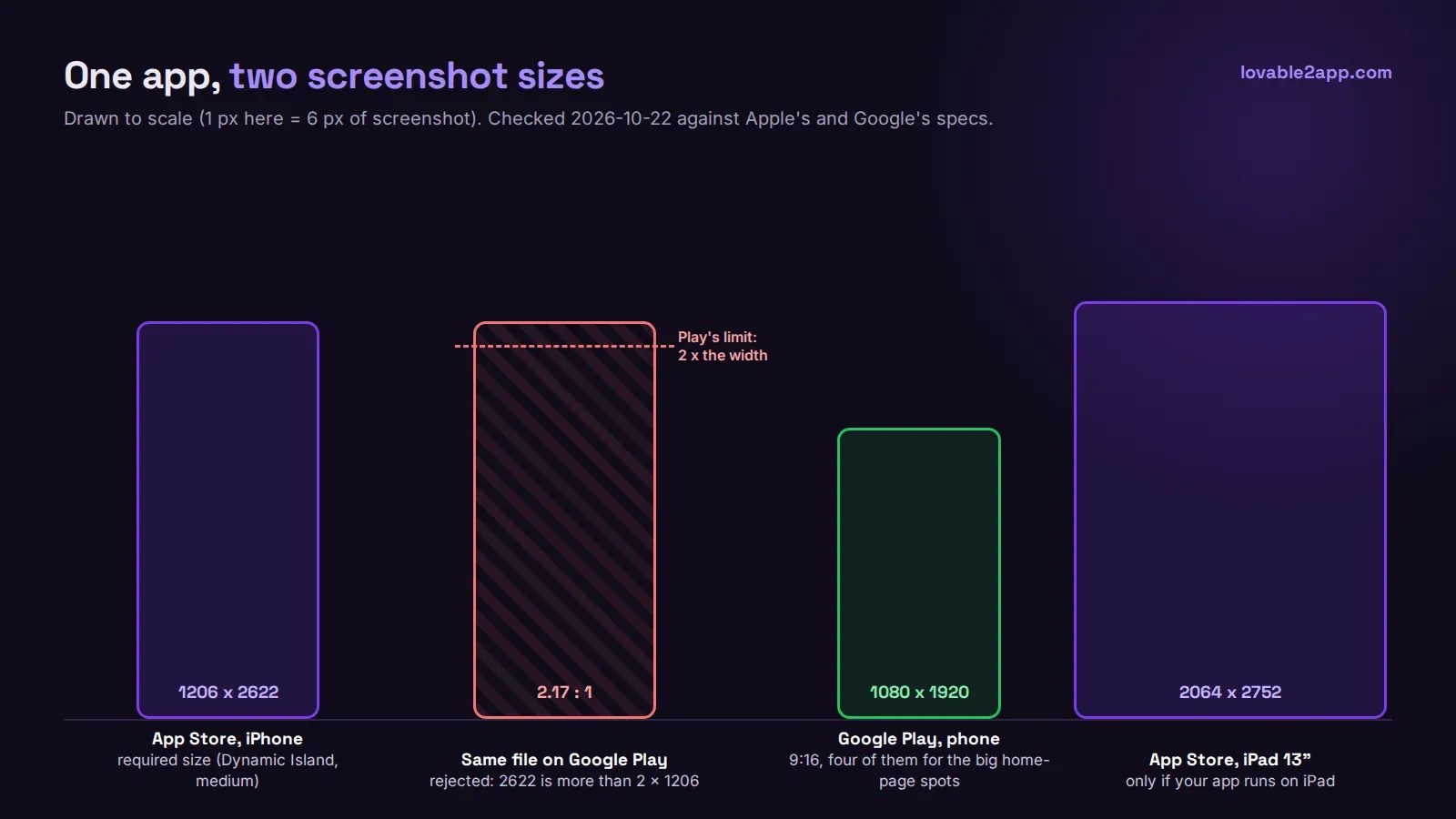
The App Store screenshot size Apple requires for iPhone in October 2026 is the iPhone with Dynamic Island (medium display) class: 1206 x 2622 or 1179 x 2556 pixels in portrait. That’s at least one screenshot, up to 10, as JPEG or PNG with no transparency. If your Lovable app also runs on iPad, you need at least one iPad 13-inch screenshot too, at 2064 x 2752 or 2048 x 2732 (Apple’s screenshot specifications, checked October 22, 2026).
If you remember “6.7-inch” or “6.9-inch” as the size to upload, that changed: the medium Dynamic Island class is the required one now. App Store Connect scales your set to the other iPhone sizes, so one set at 1206 x 2622 covers the listing as long as your layout looks the same on each phone.
Getting the exact size from a Lovable app
A Capacitor app is a real iOS app, so you don’t need a design tool to fake the frame. Open the iOS project, run it in the Simulator on an iPhone 17 or iPhone 17 Pro, and save a screenshot. Those simulators render at 1206 x 2622, which is exactly the required size. From the terminal it’s one line:
xcrun simctl io booted screenshot home.pngDo this with real content on screen. Apple’s guideline 2.3.3 asks for screenshots that show the app in use, not a login screen or a splash screen. For a Lovable app that usually means seeding a demo account with believable data before you start, because an empty dashboard sells nothing and an “Untitled project” list looks unfinished.
Two small things trip people up. First, App Store Connect refuses images with an alpha channel, so if an export tool gave you a PNG with transparency, flatten it or save as JPEG. Second, if you add captions and device frames in Figma, export at the same 1206 x 2622 canvas. A frame that’s a few pixels off gets rejected at upload, not at review.
iPad: only if you ship for iPad
Capacitor projects support iPad by default unless you turn it off in Xcode. If iPad is on, Apple wants the iPad 13-inch screenshots, and a stretched phone layout is a common rejection reason in its own right. If your Lovable app was never designed for a tablet, it’s usually better to make it iPhone-only in the target settings than to ship a blown-up phone screen.
Coming next: the foldable iPhone
Apple’s page already lists an iPhone Duo class (1398 x 2034 for the outer display, 2007 x 2853 for the inner one) and says that from April 2027 these screenshots will be required for any app built with the iOS 27.1 SDK or later. Nothing to do today, but if you plan an update next spring, budget an extra round of screenshots.
Google Play rules are different
Google Play asks for at least two phone screenshots to publish, JPEG or 24-bit PNG (no alpha), with each side between 320 and 3,840 pixels, and one more rule: the long side can’t be more than twice the short side (Play Console help on preview assets).
That last rule is why your App Store set won’t upload. 2622 / 1206 is 2.17, so a modern iPhone screenshot is too tall for Play.
For Play, aim for four portrait screenshots at 1080 x 1920 (9:16). Four at that size or larger is what Google requires before it will use your screenshots in the large-format recommendation spots on the Play homepage, so two is the minimum to publish but four is what you actually want. Google also warns that extra text on top of screenshots can get cut off on some of those surfaces, so keep captions short or skip them.
The easiest way to get both sets: take the iOS ones from the Simulator, then run the same screens in an Android emulator with a 1080 x 1920 device profile, or crop a 9:16 window from a taller Android capture.
A quick checklist
| App Store (iPhone) | Google Play (phone) | |
|---|---|---|
| Size to upload | 1206 x 2622 (or 1179 x 2556) | 1080 x 1920 (9:16) |
| How many | 1 to 10 | 2 minimum, 4+ recommended |
| Format | JPEG or PNG, no alpha | JPEG or 24-bit PNG, no alpha |
| Main gotcha | Show the app in use (2.3.3) | Long side max 2x the short side |
Screenshots are the last step, so they’re often rushed the night before submission. They’re also what people look at before they decide to tap Install. If you want the whole thing handled, the build, the store listings, screenshots and the review, that’s what our App Store and Google Play publishing package covers.