Capacitor vs Expo for a Lovable App: Wrap It or Rebuild It
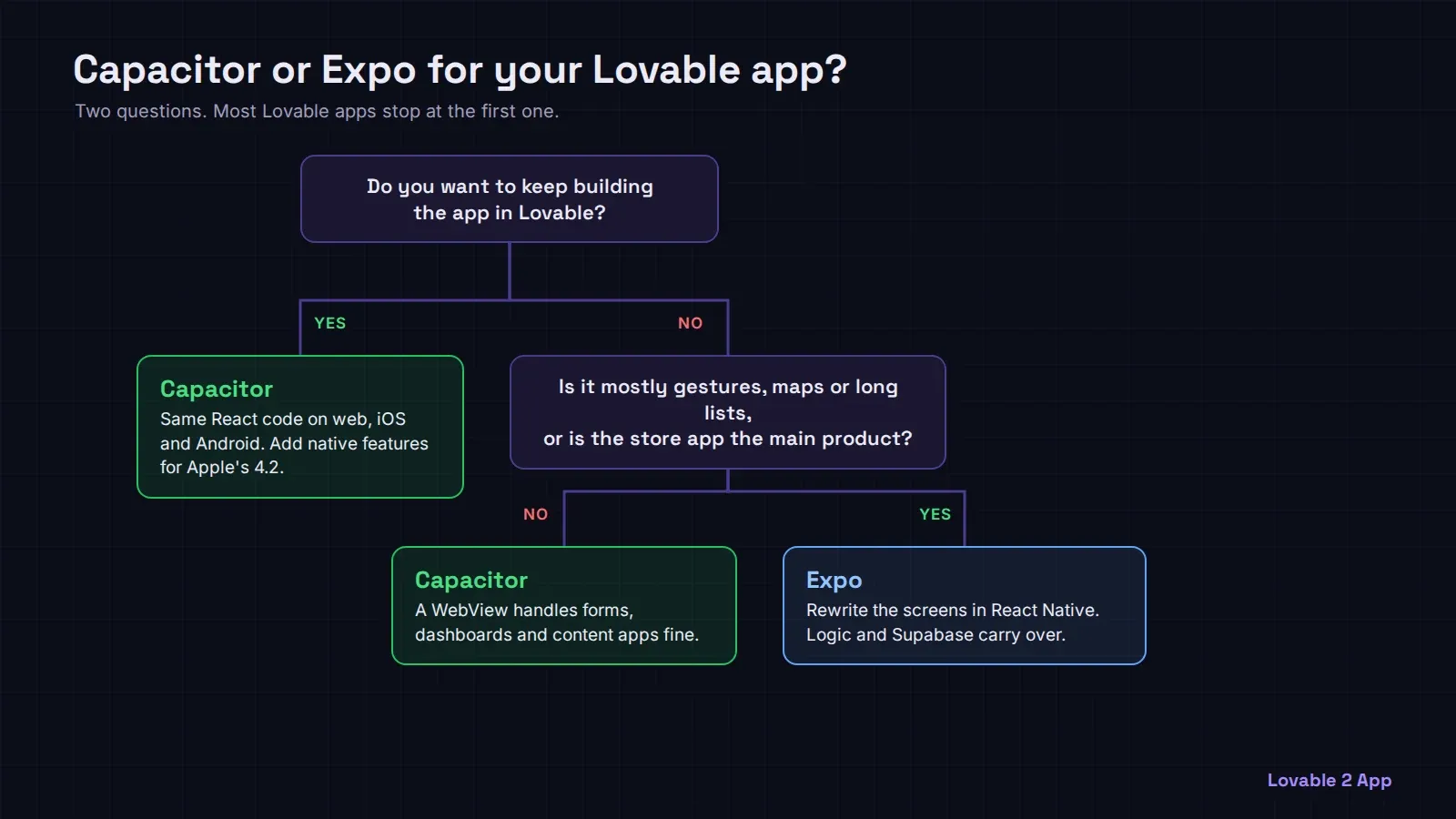
For an app built with Lovable, Capacitor is the right default and Expo is the right second choice. Capacitor wraps the React web app you already have in a native iOS and Android shell, so the same code runs in the browser and in both stores and you keep building in Lovable. Expo is a framework for React Native, which means rewriting every screen with native components: more work up front, a more native feel, and you stop editing the mobile app in Lovable.
That’s the whole decision in two sentences. The rest of this post is about the cases where the second sentence wins.
What each one actually does
Capacitor (capacitorjs.com) takes your built web app, the dist folder Vite produces, and runs it inside a native WebView. You get real ios/ and android/ projects, real App Store and Play Store builds, and plugins that call native features from JavaScript: camera, push notifications, file system, haptics, biometrics. Your Tailwind classes, shadcn/ui components and Supabase calls work unchanged, because it’s still a web page underneath.
Expo (expo.dev) is the most common way to build React Native apps today. React Native doesn’t render HTML. A <div> becomes a <View>, text has to sit inside <Text>, and CSS becomes style objects (or NativeWind if you want Tailwind-like classes). Your business logic, Supabase client, types and API calls carry over. Your UI does not. Expo SDK 58 shipped on October 14, 2026, and it comes with Expo Router, cloud builds through EAS and over-the-air updates.
Where Capacitor wins for a Lovable app
- You keep one codebase. A change you make in Lovable on Monday is in the web app and, after a rebuild, in both store apps. With Expo you maintain two UIs from then on.
- It’s faster to ship. Most of the work is native setup, icons, splash screens, permissions and store submission, not rewriting screens.
- Lovable keeps working. Lovable generates web React. It doesn’t generate React Native, so an Expo app is something you or a developer edit by hand afterwards.
One thing changed in 2026. Lovable projects started since mid-2026 use a server-rendered TanStack Start template instead of a plain Vite single-page app, so npm run build no longer gives you a folder of static files to hand to Capacitor. The app needs a client-only build for its webDir first, which is a config change, not a rewrite. Older Lovable projects build static files as before. Our look at the current Lovable template shows what’s inside.
The other catch is Apple’s guideline 4.2. A WebView app that’s just your website in a box gets rejected for “minimum functionality”. Adding real native features (push notifications, the camera, offline screens, native sharing) is what gets it through, and we cover that in the 4.2 rejection guide.
Where Expo wins
- The app is mostly gestures and animation. Swipe-heavy feeds, maps with lots of markers, drag and drop, complex lists of thousands of rows. A WebView can do these, but native components do them more smoothly on older phones.
- The mobile app is becoming the main product. If most of your users will be on the app and the web version is secondary, paying once for a native UI is a reasonable trade.
- You want builds without a Mac. EAS builds iOS apps in the cloud. With Capacitor you build iOS in Xcode on a Mac, or use a cloud CI like Codemagic.
Over-the-air updates aren’t a reason to pick Expo on their own: Capacitor has them too, through Capgo, with the same App Store rules on what you may change without review; see Capacitor live updates.
What it costs to go either way
For us the price is the same for both paths: $300, $600 or $1,000 depending on the size of the app, as listed on our pricing page. Capacitor is the default because it keeps your Lovable workflow; a React Native rebuild with Expo is the second path when one of the reasons above applies. If you’re not sure which one your app needs, the two paths compared goes through it screen by screen.
If you’d rather skip all of it, we publish your Lovable app to the App Store and Google Play from $300, with the native features Apple asks for.